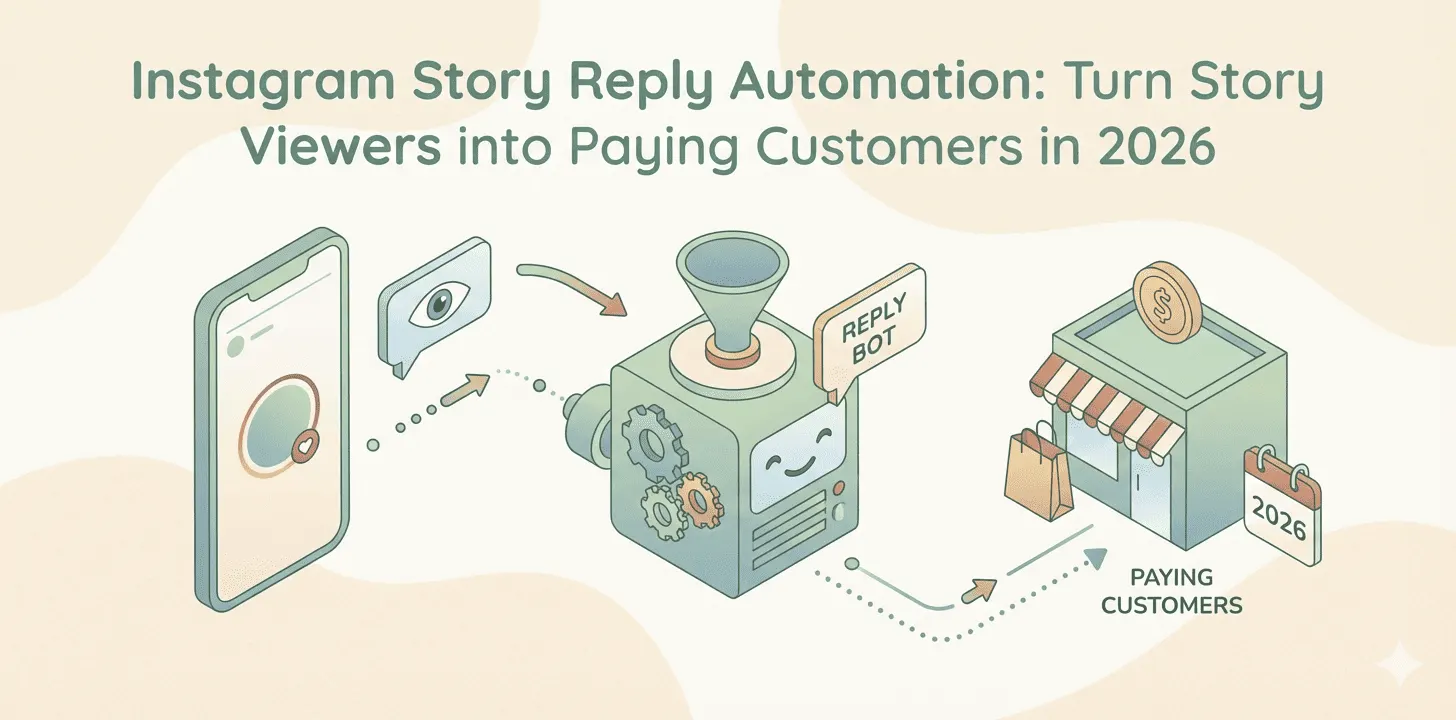
Instagram Stories generate over 500 million daily active users, making them one of the most powerful engagement tools on the platform. Yet most businesses are leaving money on the table by manually managing story replies, or worse, ignoring them altogether.
When someone replies to your Instagram Story, they're showing high intent. They've not only viewed your content but taken the extra step to engage with it. These are your warmest leads, and how quickly and effectively you respond can make the difference between a sale and a missed opportunity.
In this comprehensive guide, we'll explore how to leverage Instagram Story reply automation to convert viewers into customers, scale your engagement without burning out your team, and create personalized experiences that drive real business results.
Why Instagram Story Replies Are a Goldmine for Business
Before diving into automation strategies, let's understand why story replies deserve your attention:
-
High Engagement Rate: Stories receive 15-25% more engagement than feed posts, with reply rates significantly higher than comment rates on regular posts.
-
Direct Communication: Story replies go straight to your DMs, creating an immediate one-on-one conversation channel that's perfect for personalized selling.
-
24-Hour Urgency: The ephemeral nature of stories creates FOMO (fear of missing out), driving more immediate responses and higher-quality interactions.
-
Interactive Features: Polls, questions, quizzes, and sliders make it incredibly easy for followers to engage, generating qualified leads with minimal effort.
-
Algorithm Boost: Instagram prioritizes accounts with high story engagement, meaning more replies can lead to better overall reach.
The Story Reply Conversion Framework
Not all story replies are created equal. Understanding the different types and how to respond to each is crucial for maximizing conversions:
1. Poll & Quiz Responses
When someone votes on your poll or quiz, they're signaling interest in that topic. This is your opportunity to continue the conversation:
-
Immediate Follow-Up: "I noticed you chose option A! Here's something that might help..."
-
Personalized Value: Tailor your response based on their choice to show you're paying attention.
-
Soft CTA: Guide them to the next step without being pushy.
2. Question Sticker Responses
These are your hottest leads. They've actively asked you something, indicating genuine interest or a pain point you can solve:
-
Priority Response: Answer these first and fastest, ideally within 5 minutes.
-
Detailed Answer + Resource: Provide value immediately, then offer more detailed information.
-
Qualification: Use your response to understand their needs better before pitching.
3. Emoji Reactions & Quick Replies
Even simple reactions show engagement. Don't ignore them:
-
Acknowledge & Engage: A simple "Thanks for the 🔥! What did you find most interesting?"
-
Conversation Starter: Use reactions as an entry point to start a dialogue.
-
Segment for Follow-Up: Track engaged users for future targeted content.
4. Slider & Rating Responses
Sliders and ratings provide quantifiable feedback and engagement:
-
High Scores: "Amazing! Since you loved this, you might want to check out..."
-
Medium Scores: "What would make this a 10 for you? I'd love to know!"
-
Low Scores: "Thanks for the honest feedback! What can we improve?"
How Instagram Story Reply Automation Works
Story reply automation allows you to automatically respond to specific story interactions based on predefined triggers and rules. Here's how modern automation tools handle it:
Trigger-Based Responses
Set up automatic responses triggered by specific actions:
-
Poll Choices: Different automated DMs based on which poll option they choose.
-
Question Keywords: Detect keywords in question responses and send relevant information.
-
Emoji Reactions: Respond to specific emoji reactions with tailored messages.
-
Story Mentions: Automatically thank users who mention you in their stories.
Personalization Variables
Modern automation isn't robotic. Use variables to personalize each response:
-
Insert their username for personal touch.
-
Reference their specific poll choice or question.
-
Include location or business details if available.
-
Adapt messaging based on their follower status (new vs. loyal).
Intelligent Routing
Not every response needs automation. Set up smart routing:
-
Simple Queries: Handle automatically with pre-written answers.
-
Complex Questions: Flag for human review with context provided.
-
Sales Opportunities: Route to sales team immediately with lead information.
-
Support Issues: Direct to customer service with priority levels.
8 Proven Instagram Story Automation Strategies
Strategy 1: The Lead Magnet Story Funnel
How It Works: Post a story highlighting a valuable resource (checklist, guide, template). Use a poll asking "Want this?" with "Yes" and "No" options. When someone chooses "Yes", automatically send them a DM with the download link and a follow-up message.
Why It's Effective: You're qualifying leads before sending them resources. Those who engage are genuinely interested, making them prime candidates for nurturing into customers.
Implementation: Use tools like IceKulfi to set up poll-triggered auto-DMs that deliver your lead magnet instantly.
Strategy 2: The Quiz Qualification System
How It Works: Create a multi-part quiz in your stories. Based on their answers, automatically segment them and send personalized recommendations.
Example: "What's your biggest Instagram challenge?" → Options: "Getting followers", "Low engagement", "No sales". Each answer triggers a different automated message with specific solutions.
Why It's Effective: You're gathering valuable data about their pain points while providing immediate value, positioning yourself as a helpful expert.
Strategy 3: The Flash Sale Countdown
How It Works: Post stories about a limited-time offer with a countdown sticker. When people reply with keywords like "interested", "tell me more", or specific emojis, automatically send them the sale details and purchase link.
Why It's Effective: Combines urgency (countdown) with immediate gratification (instant information). Reduces friction in the buying process.
Strategy 4: The Tutorial Teaser
How It Works: Share the first part of a valuable tutorial in your story. Use a question sticker asking "Want the full version?" Automatically DM the complete guide to anyone who says yes.
Why It's Effective: Demonstrates value upfront, creates desire for more, and captures contact information for future marketing.
Strategy 5: The Customer Testimonial Amplifier
How It Works: Share customer success stories in your stories. Set up automation to send more case studies, pricing, or consultation booking links to anyone who reacts positively or asks questions.
Why It's Effective: Social proof creates interest. Automation ensures you capitalize on that interest immediately while it's hot.
Strategy 6: The Event Registration Flow
How It Works: Promote webinars, workshops, or live sessions in stories. Use a poll or question sticker to gauge interest. Automatically send registration links to interested users with calendar reminders.
Why It's Effective: Streamlines the registration process, reduces drop-off, and ensures no interested person falls through the cracks.
Strategy 7: The Product Recommendation Engine
How It Works: Post stories about different products or services. Use slider stickers for "interest level". Automatically follow up with those who slide high with more information, reviews, and purchase options.
Why It's Effective: You're prioritizing high-intent leads while still nurturing medium-interest prospects for future conversion.
Strategy 8: The FAQ Automation System
How It Works: Regularly post "Ask me anything" stories. Set up keyword detection to automatically answer common questions ("price", "shipping", "how to", etc.) while flagging unique questions for personal responses.
Why It's Effective: Provides instant answers to common queries, freeing your time for complex conversations that drive sales.
Best Practices for Story Reply Automation
1. Keep It Conversational, Not Robotic
Your automated messages should sound like they're coming from a real person. Use natural language, contractions, and even appropriate emojis. Avoid corporate-speak and overly formal language.
2. Provide Immediate Value
Don't make automated responses just about selling. Lead with value, answer their question, solve their problem, then gently guide them toward your product or service.
3. Set Clear Next Steps
Every automated message should have a clear call-to-action. What do you want them to do next? Download something? Visit a link? Reply with more info? Make it obvious.
4. Monitor and Optimize
Regularly review your automation performance. Which messages get the best responses? Where do people drop off? Continuously refine your messaging and triggers.
5. Know When to Hand Off to Humans
Automation should enhance, not replace, human connection. Set up triggers to alert your team when a conversation needs personal attention, especially for high-value leads or complex questions.
6. Test Different Approaches
A/B test your automated messages. Try different tones, lengths, and CTAs to see what resonates best with your audience.
7. Respect Privacy and Preferences
Always give people an easy way to opt out of automated messages. Respect Instagram's guidelines and your followers' experience.
Tools for Instagram Story Reply Automation
Essential Features to Look For
| Feature | Why It Matters |
|---|---|
| Story-Specific Triggers | Must support polls, questions, sliders, and mentions |
| Keyword Detection | Automatically categorize and respond based on message content |
| Personalization | Insert names, reference choices, and tailor messages |
| Human Handoff | Seamlessly transfer complex conversations to your team |
| Analytics | Track response rates, conversion rates, and ROI |
| Multi-Message Sequences | Create nurture flows, not just single responses |
| Instagram API Compliance | Ensures your account stays safe and within guidelines |
Why IceKulfi Excels at Story Automation
IceKulfi is specifically designed for Instagram engagement automation, including comprehensive story reply features:
-
All Story Interactions Covered: Polls, questions, sliders, emoji reactions, mentions, all automated.
-
Smart AI Responses: Context-aware AI that understands intent and responds appropriately.
-
Instant Setup: Pre-built templates for common story automation scenarios.
-
24/7 Engagement: Never miss a story reply, even while you sleep.
-
Detailed Analytics: See which stories drive the most engagement and conversions.
-
Affordable Pricing: Starting at just $9.99/month with a free trial available.
Common Mistakes to Avoid
Mistake 1: Over-Automating
Don't automate every interaction. Some conversations require human touch, emotional intelligence, and nuanced understanding. Use automation for high-volume, repetitive interactions while preserving human connection for complex discussions.
Mistake 2: Generic Responses
Sending the same message to everyone defeats the purpose of personalization. Segment your audience and tailor messages based on their specific interactions and interests.
Mistake 3: Ignoring Context
A story about a serious topic requires a different tone than a fun, lighthearted post. Make sure your automated responses match the context of the original story.
Mistake 4: No Follow-Up Strategy
Sending one automated message and stopping there is a wasted opportunity. Create multi-touch sequences that nurture leads over time without being spammy.
Mistake 5: Forgetting to Update
Automated messages about "this week's sale" or "limited time offer" need to be updated when those promotions end. Regularly audit your automations to ensure accuracy.
Mistake 6: No Testing Period
Don't set up automation and forget about it. Monitor closely in the first few weeks, gather feedback, and refine based on actual performance.
Measuring Success: Key Metrics to Track
To optimize your story reply automation, focus on these critical metrics:
-
Story Reply Rate: What percentage of story viewers are replying? (Benchmark: 2-5% is good, 5%+ is excellent)
-
Response Time: How quickly are automated messages being sent? (Target: within 1 minute)
-
Conversation Continuation Rate: How many people continue the conversation after the automated response? (Target: 40%+)
-
Link Click-Through Rate: When you include links, what percentage of people click? (Target: 15-25%)
-
Conversion Rate: How many story reply conversations result in sales or desired actions? (Track baseline and improve monthly)
-
Automation vs. Human Response Satisfaction: Survey users to ensure automated responses are well-received.
Real-World Success Stories
Case Study 1: E-commerce Brand - 240% ROI Increase
Challenge: A fashion boutique was getting 100+ story replies per day but could only respond to about 30% of them manually.
Solution: Implemented story automation with IceKulfi. Set up poll-triggered product recommendations and keyword-based size/shipping responses.
Results: Response rate increased to 98%, conversation-to-sale conversion improved by 41%, and overall story-driven revenue increased by 240% in 3 months.
Case Study 2: Fitness Coach - 5X Lead Generation
Challenge: A fitness coach wanted to grow her email list but manual story engagement was time-consuming.
Solution: Created quiz-based stories ("What's your fitness goal?") with automated lead magnet delivery based on answers.
Results: Generated 5x more qualified leads per month, reduced time spent on DMs by 70%, and increased program enrollments by 127%.
Case Study 3: Service Business - 24/7 Booking System
Challenge: A salon was missing appointment bookings from story inquiries that came in outside business hours.
Solution: Automated story replies with instant booking links and service information based on question sticker responses.
Results: After-hours bookings increased by 89%, no-show rate decreased (automated reminders), and customer satisfaction scores improved.
Implementation Roadmap: Your First 30 Days
Week 1: Foundation & Setup
-
Day 1-2: Audit your current story strategy. What types of stories get the most replies?
-
Day 3-4: Choose an automation tool (we recommend IceKulfi for comprehensive features and ease of use).
-
Day 5-7: Set up your first basic automation. Start with question sticker keyword responses for common FAQs.
Week 2: Expansion & Refinement
-
Day 8-10: Add poll-based automations. Create polls related to your products/services with automated follow-ups.
-
Day 11-13: Implement slider and quiz automations for lead qualification.
-
Day 14: Review first-week performance. What's working? What needs adjustment?
Week 3: Advanced Strategies
-
Day 15-17: Build multi-message nurture sequences for different audience segments.
-
Day 18-20: Set up story mention automation to thank users who share your content.
-
Day 21: Create templates for seasonal campaigns, sales, and promotions.
Week 4: Optimization & Scaling
-
Day 22-25: A/B test different message variations to improve response rates.
-
Day 26-28: Analyze conversion data and optimize underperforming automations.
-
Day 29-30: Document your processes and train team members on monitoring and updating automations.
Advanced Tactics for Power Users
Cross-Platform Story Synergy
Integrate your Instagram story automation with other platforms:
-
Use story replies to segment your email list with different content based on their interactions.
-
Create Facebook Ads targeting people who engaged with specific stories.
-
Feed story interaction data into your CRM for better customer profiles.
The Story Series Strategy
Create multi-part story series that build on each other:
-
Day 1: Introduce a problem with a poll asking if they experience it.
-
Day 2: Share solution overview, automate info DMs to those who engaged on Day 1.
-
Day 3: Offer deep dive, pricing, or consultation to those who continued engagement.
The VIP Treatment Automation
Create special automation flows for your best customers:
-
Identify repeat buyers or high-value clients in your system.
-
When they interact with stories, trigger premium responses with exclusive offers.
-
Make them feel valued while incentivizing continued purchases.
The Future of Instagram Story Automation
As we move further into 2026, expect these developments:
-
Enhanced AI Understanding: Better natural language processing will make automated responses virtually indistinguishable from human replies.
-
Predictive Engagement: AI will predict which followers are most likely to engage and convert, allowing for targeted story content.
-
Voice and Video Automation: As voice messages and video replies become more common, automation will expand to these formats.
-
Deeper E-commerce Integration: Direct shopping from story replies with automated checkout assistance.
-
Cross-Story Analytics: Better tracking of how story series perform together, not just individual stories.
Final Thoughts: Why Story Automation Matters Now
Instagram Stories are one of the most engaging features on the platform, yet they're also one of the most underutilized for business growth. The ephemeral nature creates urgency, the interactive features drive participation, and the direct-to-DM pipeline makes conversion seamless.
But here's the challenge: stories disappear after 24 hours, and manual management is unsustainable at scale. That's exactly why automation isn't just nice to have, it's essential for any business serious about Instagram growth.
The businesses winning on Instagram in 2026 aren't necessarily those with the most followers. They're the ones who respond fastest, engage most consistently, and provide immediate value. Story automation makes all of that possible without requiring a 24/7 social media team.
Your competitors are already implementing these strategies. Your customers already expect instant, helpful responses. The only question is: will you adapt and capture this opportunity, or let it slip away?
Start Automating Your Instagram Stories Today
Ready to turn story viewers into customers on autopilot? IceKulfi makes story automation simple with AI-powered responses, comprehensive analytics, and easy setup.
[Start Your Free 3-Day Trial Today]