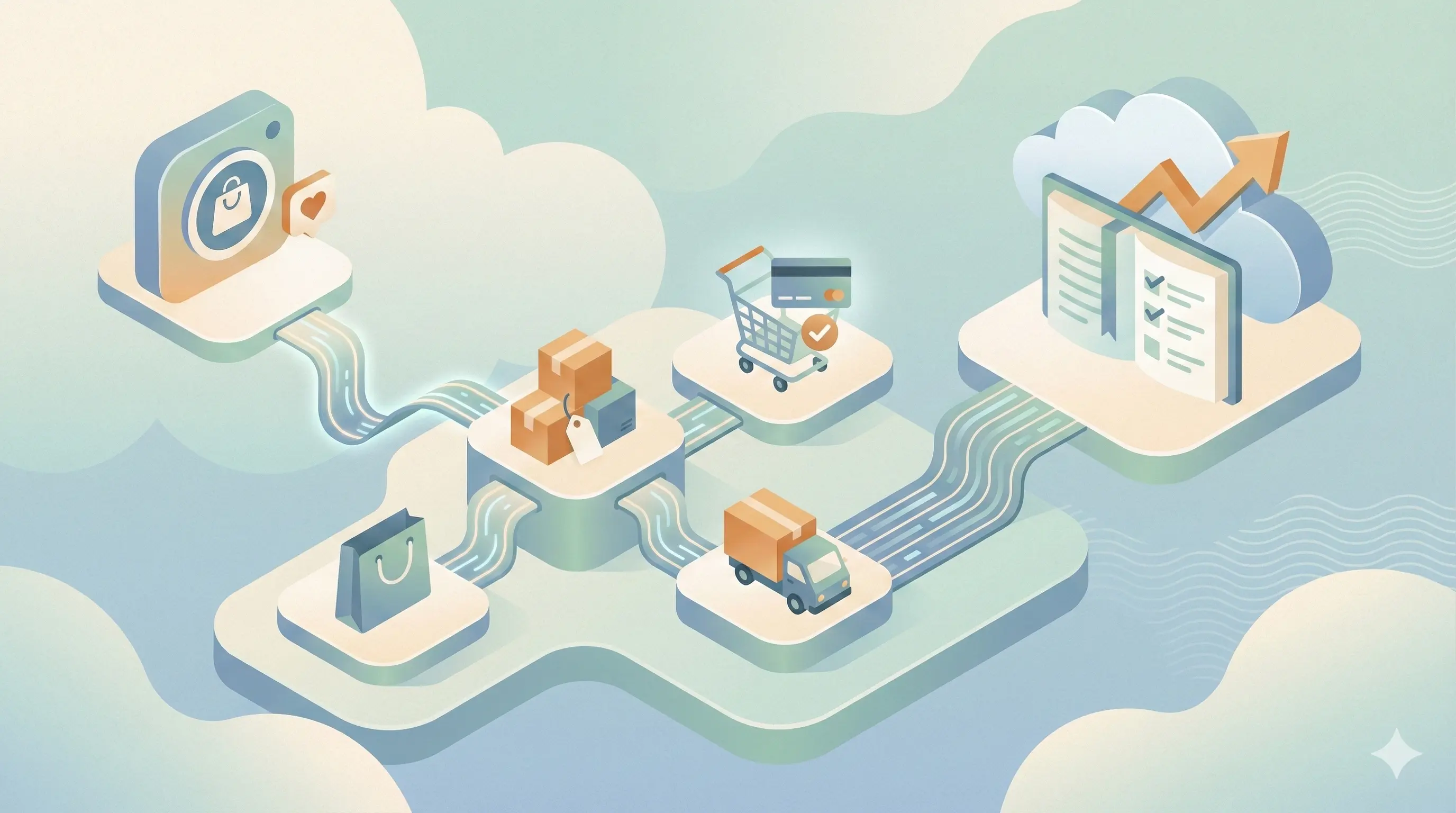
Instagram Shopping transforms your profile from a marketing channel into a storefront. With over 130 million users tapping on shopping posts every month, the opportunity to sell directly where your audience already spends their time is massive.
Yet most businesses struggle with the setup process, get rejected without understanding why, or fail to optimize their shop for maximum sales. This guide walks you through everything: from eligibility requirements to advanced product tagging strategies that turn browsers into buyers.
By the end, you'll have a fully functional Instagram Shop that works 24/7 to drive sales while you focus on creating great content.
Why Instagram Shopping Matters in 2026
The way people discover and buy products has fundamentally changed. Social commerce is no longer a trend; it's how modern consumers shop.
The Numbers Behind Social Commerce
- 130+ million users tap on Instagram shopping posts monthly
- 70% of shoppers use Instagram for product discovery
- 44% of users shop on Instagram weekly
- Social commerce sales are projected to reach $80 billion in the US alone by 2026
- Instagram shoppers spend 2x more than average online shoppers
The Friction-Free Advantage
Traditional e-commerce requires multiple steps:
- See an ad or post
- Leave the platform
- Navigate to website
- Find the product
- Add to cart
- Checkout
Instagram Shopping reduces this to:
- See a product
- Tap to view details
- Purchase (or visit site)
Fewer steps = higher conversion rates. It's that simple.
The Discovery Engine
Instagram's algorithm actively promotes shopping content to interested users. When you enable Shopping:
- Your products appear in the Shop tab (dedicated shopping destination)
- Products show in Explore for interested shoppers
- Product tags make any post shoppable
- Collections let you curate themed product groups
- Live Shopping enables real-time selling
You're not just selling to your followers. You're selling to anyone Instagram identifies as a potential customer.
Instagram Shopping Requirements and Eligibility
Before diving into setup, make sure you qualify. Instagram has specific requirements that must be met.
Basic Requirements
-
Business or Creator Account: Personal accounts cannot access Shopping features
-
Located in a Supported Market: Instagram Shopping is available in 40+ countries including the US, UK, Canada, Australia, and most of Europe
-
Sell Physical Products: Services, digital products, and subscriptions are not eligible
-
Comply with Commerce Policies: Your products must follow Instagram's commerce policies and community guidelines
-
Own a Website Domain: You need a website where you sell products (can be Shopify, WooCommerce, etc.)
-
Connected Facebook Page: Your Instagram must be connected to a Facebook Page
Commerce Policy Highlights
Instagram prohibits selling:
- Alcohol, tobacco, and vaping products
- Weapons and explosives
- Adult products and services
- Live animals
- Healthcare products (with restrictions)
- Counterfeit or unauthorized goods
- Digital products and subscriptions
- Services (coaching, consulting, etc.)
Important: Read Instagram's full Commerce Policies before applying. Violations can result in permanent shopping removal.
Product Requirements
Your products must have:
- Clear, accurate descriptions
- Real product images (no stock photos with watermarks)
- Accurate pricing
- Valid website links
- Proper inventory information
Account Health Factors
Instagram also considers:
- Account age and activity
- Follower authenticity (no fake followers)
- Content policy compliance history
- Business information completeness
Step-by-Step Instagram Shopping Setup
Let's walk through the complete setup process.
Step 1: Convert to a Business or Creator Account
If you're still on a personal account:
- Go to Settings → Account
- Tap Switch to Professional Account
- Choose Business (recommended for e-commerce) or Creator
- Select your business category
- Add contact information
Pro tip: Business accounts get access to more detailed analytics and additional features like action buttons.
Step 2: Connect to a Facebook Page
Your Instagram must be linked to a Facebook Page:
- Go to Settings → Account → Linked Accounts
- Select Facebook
- Log in to Facebook
- Choose or create a Facebook Page for your business
- Confirm the connection
Note: The Facebook Page should match your Instagram business. Use the same name, branding, and contact info.
Step 3: Set Up Your Product Catalog
Your catalog is where all your product information lives. There are two main methods:
Option A: Use a Partner Platform (Recommended)
If you use Shopify, BigCommerce, WooCommerce, or similar platforms:
- Install the Facebook/Instagram Sales Channel on your platform
- Connect your Facebook Business account
- Your products sync automatically
- Changes on your website update Instagram
Supported platforms:
- Shopify
- BigCommerce
- WooCommerce
- Magento
- Wix
- Squarespace
- And 30+ more
Why this is better:
- Automatic inventory sync
- Price updates in real-time
- No manual product entry
- Fewer errors
Option B: Use Commerce Manager (Manual)
If you don't use a partner platform:
- Go to Facebook Commerce Manager (business.facebook.com/commerce)
- Click Add Catalog
- Select E-commerce as catalog type
- Choose Upload Product Info for manual entry
- Add products one by one or via spreadsheet
Required product fields:
- Product name
- Description
- Price
- Product URL (link to your website)
- Image URL
- Availability (in stock/out of stock)
- Condition (new/refurbished/used)
- Brand
Spreadsheet upload: For bulk products, download Instagram's template, fill in your product data, and upload the CSV file.
Step 4: Verify Your Domain
Domain verification proves you own the website linked to your products:
- Go to Facebook Business Settings → Brand Safety → Domains
- Click Add Domain and enter your website URL
- Choose a verification method:
- Meta-tag: Add a code to your website's header
- HTML file: Upload a file to your root directory
- DNS TXT record: Add a record through your domain provider
- Click Verify
For Shopify users: Verification is often automatic through the Facebook sales channel.
Step 5: Apply for Instagram Shopping
Now you're ready to apply:
- Go to Instagram Settings → Business → Set Up Instagram Shopping
- Follow the prompts to connect your catalog
- Select the product catalog you want to use
- Submit your account for review
What happens during review:
- Instagram verifies your business information
- They check your catalog compliance
- They review your website
- They assess your account history
Timeline: Usually 24-48 hours, but can take up to 2 weeks.
Step 6: Turn On Shopping Features
Once approved:
- Go to Settings → Business → Shopping
- Select your product catalog
- Tap Done
You'll now see the shopping bag icon and can start tagging products.
Optimizing Your Product Catalog
A mediocre catalog leads to mediocre sales. Here's how to optimize every element.
Product Titles That Sell
Your title appears in search and shopping tags. Make it count.
Do:
- Include key product details (size, color, material)
- Use searchable terms people actually type
- Keep it under 65 characters
- Lead with the most important word
Don't:
- Stuff with keywords
- Use all caps or excessive punctuation
- Include promotional text ("SALE!" "Best seller!")
- Use vague descriptions
Examples:
| Bad | Good |
|---|---|
| AMAZING BLUE DRESS ON SALE!!! | Silk Midi Dress - Navy Blue |
| Product 12345 | Organic Cotton T-Shirt - White - Medium |
| Best Candle Ever | Lavender Soy Candle - 8oz |
Product Descriptions That Convert
Your description has two jobs: inform and persuade.
Structure for success:
- Opening hook: What makes this product special?
- Key benefits: What will the customer experience?
- Features: Specific details (materials, dimensions, etc.)
- Social proof: If applicable (reviews, awards)
- Care/usage: How to use or maintain
Example:
The perfect everyday bag that goes from office to weekend.

Handcrafted from full-grain Italian leather, this tote features:
• Spacious interior fits 15" laptop
• Interior zip pocket for valuables
• Magnetic closure for easy access
• Adjustable shoulder strap

Each bag develops a unique patina over time, making it truly yours.

Dimensions: 14"W x 12"H x 5"D
Product Images That Stop the Scroll
Instagram is visual. Your product images determine whether people tap or scroll past.
Image requirements:
- Minimum 500 x 500 pixels (1080 x 1080 recommended)
- Square format works best
- No watermarks, logos, or promotional text
- Product must be clearly visible
Best practices:
- Hero image: Clean product shot on white/neutral background
- Lifestyle images: Product in use or context
- Detail shots: Close-ups of quality, texture, features
- Scale reference: Show size relative to common objects
Multiple images: You can add up to 10 images per product. Use all of them to show different angles and uses.
Pricing Strategy
Your Instagram prices should match your website exactly. Discrepancies confuse customers and can get your shop disabled.
Price display tips:
- Include currency
- Show sale prices separately (use "Sale Price" field)
- Update immediately when prices change
- Consider price points that look good on mobile
Inventory Management
Nothing kills a sale faster than "Out of Stock" after someone's ready to buy.
Best practices:
- Sync inventory automatically (use partner platforms)
- Set low-stock alerts
- Update immediately when items sell out
- Consider "Available for order" for made-to-order items
Collections and Organization
Collections group related products for easier browsing.
Effective collection strategies:
- By category: Dresses, Tops, Accessories
- By occasion: Date Night, Work Wear, Weekend
- By theme: Summer Collection, Holiday Gifts
- By price: Under $50, Luxury Picks
- By feature: Best Sellers, New Arrivals
Create 4-8 collections to give options without overwhelming.
Product Tagging Best Practices
Product tags are how customers discover and shop your products. Master these for maximum impact.
Where You Can Tag Products
- Feed posts: Up to 5 products per single image, 20 per carousel
- Stories: Product stickers (one per Story)
- Reels: Product tags in the caption area
- Live: Pin products during broadcasts
- Instagram Shop: Your dedicated storefront
Tagging Strategy by Content Type
Feed Posts
Single image posts:
- Tag 1-3 products maximum
- Place tags where they don't obstruct the image
- Ensure tags are easily tappable (not too close together)
Carousel posts:
- Feature one product per slide for clarity
- Or show outfit/room with multiple tagged items
- First slide should be most compelling
Caption CTAs:
- "Tap to shop"
- "Link to shop in bio"
- "All items tagged"
Stories
Shoppable Story stickers:
- Place in easily tappable area (lower third, not edges)
- Use contrasting colors for visibility
- Combine with other stickers for engagement (polls, questions)
Story strategies:
- Behind-the-scenes of products
- Customer reviews/UGC with product tag
- "New arrival" announcements
- Limited-time offers
Reels
Reels have massive reach, making them powerful for product discovery.
Effective Reel formats:
- Product demonstrations
- Before/after transformations
- Styling tutorials
- Unboxing/packaging reveals
- Behind-the-scenes creation
Tagging tips:
- Tag products in the post, not just caption
- Keep Reels focused (1-3 products max)
- Show product in action, not just static shots
Tagging Frequency
How often should shopping posts appear in your feed?
Recommended mix:
- 30-40% shoppable content: Direct product features
- 30-40% lifestyle/value content: Educational, entertaining
- 20-30% community content: UGC, testimonials, behind-scenes
Avoid: Making every post a sales pitch. Balance commerce with content.
Shoppable Posts vs. Reels vs. Stories
Each format serves different purposes in your shopping strategy.
Feed Posts
Best for:
- High-quality product photography
- Detailed product features
- Evergreen content that lives on your grid
- Multiple product showcases (carousels)
Strengths:
- Permanent visibility
- Multiple product tags
- Detailed captions
- Higher intent buyers (actively browsing your profile)
Optimize by:
- Using carousel format for higher engagement
- Writing compelling captions with CTAs
- Posting at peak audience times
- Responding to comments quickly
Reels
Best for:
- Reaching new audiences (highest discovery potential)
- Demonstrating products in action
- Trendy, entertaining content
- Quick styling tips or tutorials
Strengths:
- Algorithm prioritizes Reels for discovery
- Can go viral beyond your followers
- Appeals to younger demographics
- Higher engagement rates
Optimize by:
- Hooking viewers in first 1-2 seconds
- Showing product benefits, not just features
- Using trending audio when relevant
- Keeping under 30 seconds for best retention
Stories
Best for:
- Time-sensitive promotions
- Flash sales and limited offers
- Behind-the-scenes content
- Authentic, less polished content
- Direct audience engagement
Strengths:
- Urgency (24-hour lifespan)
- High engagement features (polls, questions)
- Direct link capability
- Feels personal and immediate
Optimize by:
- Posting 5-10 Stories daily
- Using interactive stickers
- Creating Story-exclusive offers
- Saving best-performing Stories to Highlights
Content Mix Strategy
| Content Goal | Best Format | Frequency |
|---|---|---|
| New customer acquisition | Reels | 3-5x per week |
| Product launches | Feed + Stories | As needed |
| Flash sales | Stories | Limited |
| Product education | Carousel posts | 2-3x per week |
| Social proof | All formats | Ongoing |
| Community building | Stories + Lives | Daily |
Combining Shopping with DM Automation
Here's where Instagram Shopping becomes truly powerful. By combining product discovery with DM automation, you create a personalized shopping experience that converts at dramatically higher rates.
The Problem with Traditional Shopping
Standard Instagram Shopping flow:
- Customer sees product
- Taps to view
- Goes to website
- Browses alone
- Maybe buys, probably bounces
Average conversion rate: 1-3%
The Automated Conversation Flow
Enhanced shopping flow:
- Customer sees product
- Comments or DMs with question
- Automation responds instantly with answers
- Conversation qualifies their needs
- Personalized recommendation sent
- Customer purchases with confidence
Average conversion rate: 8-15%
The difference? Human-like interaction at scale.
Setting Up Shopping Automation with IceKulfi
IceKulfi lets you automate the conversation layer of your Instagram shop.
Use case 1: Product inquiries
When someone comments "Is this available in blue?" or DMs "What size should I get?":
- Automation detects the intent
- Responds with relevant information
- Offers to help find the right product
- Sends direct product link
Use case 2: Post-engagement follow-up
When someone saves or shares a product post:
- Automation sends a friendly DM
- Offers additional product info
- Provides exclusive discount code
- Asks if they have questions
Use case 3: Cart abandonment recovery
When someone taps a product but doesn't buy:
- Trigger follow-up message
- Address common objections
- Offer support or sizing help
- Include limited-time incentive
Automation Templates for E-commerce
Template 1: Size/Fit Questions
Hey! Thanks for asking about sizing 😊

Our [Product] runs [true to size/slightly small/slightly large].

Here's our size guide: [Link]

What size do you usually wear? I can help you find the perfect fit!
Template 2: Availability Check
Thanks for your interest in [Product]!

Great news - it's currently in stock in [available colors/sizes].

Want me to send you the direct link to grab it before it sells out?
Template 3: Product Recommendation
I saw you were checking out [Product] - great choice!

Based on that, you might also love:
• [Related Product 1]
• [Related Product 2]

Want links to any of these?
Measuring Automation Impact
Track these metrics to measure your DM automation ROI:
| Metric | What It Shows | Target |
|---|---|---|
| Response rate | % of DMs that get replies | 90%+ |
| Conversation rate | % of automations leading to back-and-forth | 30%+ |
| Click-through rate | % clicking product links in DMs | 40%+ |
| Conversion rate | % of DM conversations leading to purchase | 10%+ |
| Revenue per conversation | Average order value from DM-initiated sales | Track trend |
Instagram Live Shopping
Live Shopping lets you sell products in real-time during Instagram Live broadcasts. It's like QVC for the Instagram generation.
Setting Up Live Shopping
- Enable Live Shopping in your Shopping settings
- Create a product collection for your Live
- Schedule your Live (optional but recommended)
- Go Live and pin products as you discuss them
Live Shopping Best Practices
Before the Live:
- Announce it 24-48 hours in advance
- Create a Story countdown sticker
- Prepare your products and talking points
- Test your lighting and audio
- Have products ready to show
During the Live:
- Start with a hook (what you're featuring today)
- Pin products when you discuss them
- Encourage comments and questions
- Offer Live-exclusive discounts
- Keep energy high (Lives are entertainment)
After the Live:
- Save to IGTV/Reels for replay
- Follow up with engaged viewers
- Send DMs to commenters who asked about products
- Analyze what products got most interest
Live Shopping Content Ideas
- Product launches: Unveil new items live
- Try-on hauls: Model clothing or accessories
- Tutorials: Show products in use
- Q&A sessions: Answer common questions about products
- Behind-the-scenes: Show how products are made
- Collaborations: Partner with influencers or customers
Case Studies: Successful Instagram Shops
Case Study 1: Handmade Jewelry Brand
Background: A solo jewelry maker with 8,000 followers, selling handmade pieces averaging $45.
Challenge: Getting website traffic from Instagram but low conversion rates.
Strategy:
- Optimized product catalog with lifestyle images
- Created themed collections (Everyday, Special Occasion, Gifts)
- Posted styling Reels showing pieces worn
- Implemented DM automation with IceKulfi for sizing questions
- Ran weekly Live Shopping sessions
Results (90 days):
- Product tag taps: +340%
- Website traffic from Instagram: +180%
- Conversion rate: 2.1% → 6.8%
- Monthly revenue: $2,400 → $7,200
Key insight: "Showing jewelry on real skin instead of white backgrounds tripled my engagement. And automated responses to 'Is this real gold?' freed up 2 hours daily."
Case Study 2: Sustainable Fashion Brand
Background: Small sustainable fashion brand with 25,000 followers, price point $80-200.
Challenge: High interest in posts but customers hesitating due to higher prices.
Strategy:
- Created detailed product descriptions emphasizing sustainability
- Used carousel posts showing supply chain and materials
- Set up DM automation to address price objections
- Featured customer testimonials with product tags
- Offered exclusive Instagram follower discount code
Results (60 days):
- Engagement rate: +45%
- DM inquiries handled automatically: 78%
- Conversion rate: 1.8% → 4.2%
- Average order value: +22% (customers bought more when questions answered)
Key insight: "When someone asks 'Why is this so expensive?' our automation explains our ethical manufacturing. This turned objections into sales."
Case Study 3: Home Decor Store
Background: Multi-product home decor store with 45,000 followers, selling 200+ products.
Challenge: Large catalog made it hard to know what to promote; overwhelmed by DM inquiries.
Strategy:
- Created curated collections by room and style
- Used Reels for room styling inspiration
- Implemented automation for common questions (dimensions, shipping)
- Ran themed Lives (Living Room Makeover, Kitchen Essentials)
- Set up comment-to-DM automation for product interest
Results (90 days):
- Shop tab visits: +250%
- Products tagged per week: 5 → 25
- Customer service DMs handled automatically: 65%
- Monthly shop revenue: $8,500 → $24,000
Key insight: "Collections were a game-changer. Instead of 200 products, customers browse 8 themed collections. Decision fatigue dropped, purchases increased."
Common Instagram Shopping Mistakes
Mistake 1: Poor Product Images
Using low-quality, inconsistent, or stock images kills trust and conversions.
Fix: Invest in quality product photography. Maintain consistent style across your catalog.
Mistake 2: Incomplete Product Information
Missing descriptions, wrong prices, or no availability info frustrates customers.
Fix: Audit your entire catalog. Fill in every field. Update regularly.
Mistake 3: Over-Tagging
Tagging 20 products in one chaotic image overwhelms viewers.
Fix: Less is more. 1-5 products per post. Make each tag intentional.
Mistake 4: Ignoring DMs
Customers ask questions before buying. Ignored DMs = lost sales.
Fix: Set up automation with IceKulfi to respond instantly 24/7.
Mistake 5: Only Selling, Never Engaging
Every post is "Buy this!" with no value or community building.
Fix: Follow the 40/40/20 rule. 40% valuable content, 40% lifestyle, 20% direct selling.
Mistake 6: Neglecting Mobile Experience
Your website isn't mobile-optimized, so taps lead to frustrating experiences.
Fix: Test every product link on mobile. Optimize checkout for thumbs.
Mistake 7: Not Tracking Performance
Posting products randomly without analyzing what works.
Fix: Review Shop analytics weekly. Double down on what converts.
Mistake 8: Inconsistent Posting
Posting shopping content sporadically, then going silent.
Fix: Create a content calendar. Consistent presence builds shopping habits.
Tracking Instagram Shopping Performance
What gets measured gets improved. Here's how to track your shop's success.
Native Instagram Insights
Access via: Profile → Professional Dashboard → Insights → Content
Key metrics:
- Product views: How many times products were viewed
- Product button clicks: Taps on "View Product"
- Website clicks: Taps through to your site
Commerce Manager Analytics
Access via: business.facebook.com/commerce
Detailed metrics:
- Views by product
- Add to cart events
- Purchases (if using Checkout)
- Top-performing products
- Traffic sources
Google Analytics Integration
Track Instagram shopping traffic on your website:
- Add UTM parameters to your website URL in catalog
- Create a segment for Instagram referral traffic
- Track behavior: pages visited, time on site, conversions
- Set up goals for purchases, signups, etc.
Weekly Dashboard Metrics
| Metric | This Week | Last Week | % Change |
|---|---|---|---|
| Product views | |||
| Button clicks | |||
| Website visits | |||
| Conversions | |||
| Revenue from Instagram | |||
| Top product |
Optimization Based on Data
If product views are low:
- Post more often with product tags
- Use Reels for discovery
- Check if products appear in Shop tab
If button clicks are low:
- Improve product images
- Write better product titles
- Ensure tags are easily tappable
If website visits don't convert:
- Optimize mobile checkout
- Check page load speed
- Add more product images/info on site
Your 14-Day Instagram Shopping Launch Plan
Week 1: Setup and Foundation
Day 1-2: Account Preparation
- Confirm business/creator account
- Connect Facebook Page
- Verify domain ownership
- Review commerce policy compliance
Day 3-4: Catalog Creation
- Choose catalog method (partner platform or manual)
- Add all products with complete information
- Upload high-quality images
- Create 4-6 product collections
Day 5-6: Apply and Prepare
- Submit Instagram Shopping application
- While waiting: plan first week of shopping content
- Set up tracking (UTM parameters, analytics)
- Prepare DM automation for common questions
Day 7: Launch Preparation
- Once approved, enable Shopping
- Test product tagging
- Create announcement content
- Schedule launch posts
Week 2: Launch and Optimize
Day 8-9: Soft Launch
- Post first shopping content
- Test all product links
- Monitor for issues
- Respond to all comments and DMs
Day 10-11: Content Push
- Post shopping Reel
- Create shoppable Stories
- Announce shop in bio/highlights
Day 12-13: Engagement
- Go Live with product showcase
- Engage with commenters
- Follow up with interested DMers
- Gather feedback
Day 14: Review and Refine
- Analyze first week metrics
- Identify top-performing products
- Note areas for improvement
- Plan next two weeks of content
Conclusion: Your Shop Is Just the Beginning
Setting up Instagram Shopping is an investment that pays dividends every day. Once your shop is live, every piece of content you create becomes a potential sales driver. Every follower is a potential customer. Every interaction is an opportunity.
But the real magic happens when you combine Instagram Shopping with smart automation. When customers can get instant answers to their questions at 2 AM. When interested browsers receive personalized recommendations. When you're making sales while you sleep.
The most successful Instagram shops don't just tag products. They create shopping experiences. They anticipate questions, remove friction, and make buying feel natural and easy.
Your products deserve to be discovered. Your customers deserve a great experience. Your business deserves the sales.
Start with the setup. Optimize your catalog. Create compelling content. And never leave a customer question unanswered.
Ready to turn your Instagram shop into a 24/7 sales machine? IceKulfi helps you automate the conversations that convert browsers into buyers. Answer product questions instantly, follow up with interested shoppers, and provide personalized recommendations while you focus on growing your brand.
[Start Your Free 3-Day Trial Today]